A lightweight DNS-based ad blocker built in C++ that intercepts unwanted domains at the network level, no browser extensions needed. Fast, low-level, and efficient.
Why Should You Care?
Every time you visit a website, the browser sends bunch of DNS requests not just for the site it self but for ad servers, trackers, and analytics tools, Most people ignore this. After all, ads are just... ads. Right? But that's not really true anymore.
Attackers can use ads for phishing URLs embedded in the ads, And it's not just shady websites major organizations including The New York Times, BBC, Spotify, Forbes, and the NFL have all been hit by malvertising attacks in recent years. more
How ads blocker work?
Most ad blockers live inside your browser as extensions, they work by sitting between the page and what page gets rendered, basically it will compare every request against a list of known ad and tracker domains, and blocking the one that match.
It works pretty well, but it has a fundamental limitation, it's all happening inside the browser, after the DNS lookup has already been made. and because it's in your browser someone in your network still will face these ads or phishing websites unless if they are using the same browser or extension.
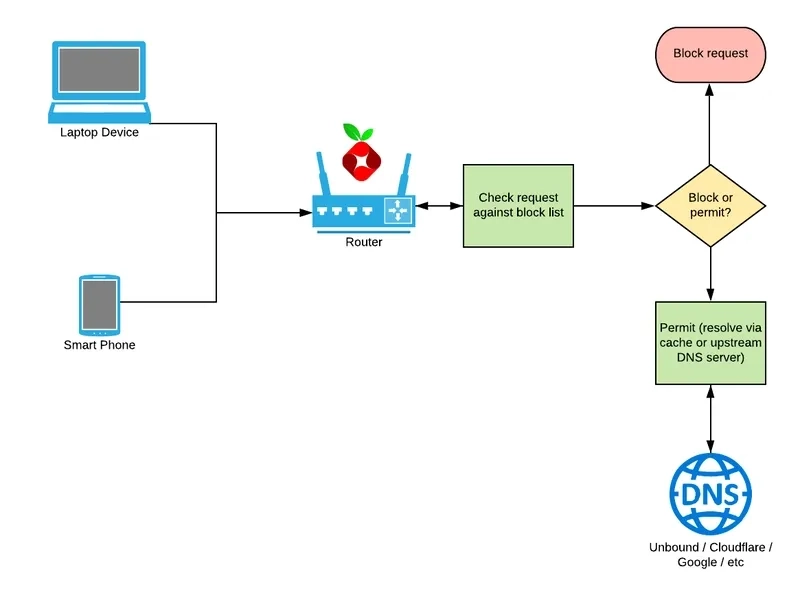
So DNS based ad blocker works one level lower than that.
When you type a URL, the first thing your machine does is resolved the URL to an IP address and then your browser make the actual connection.
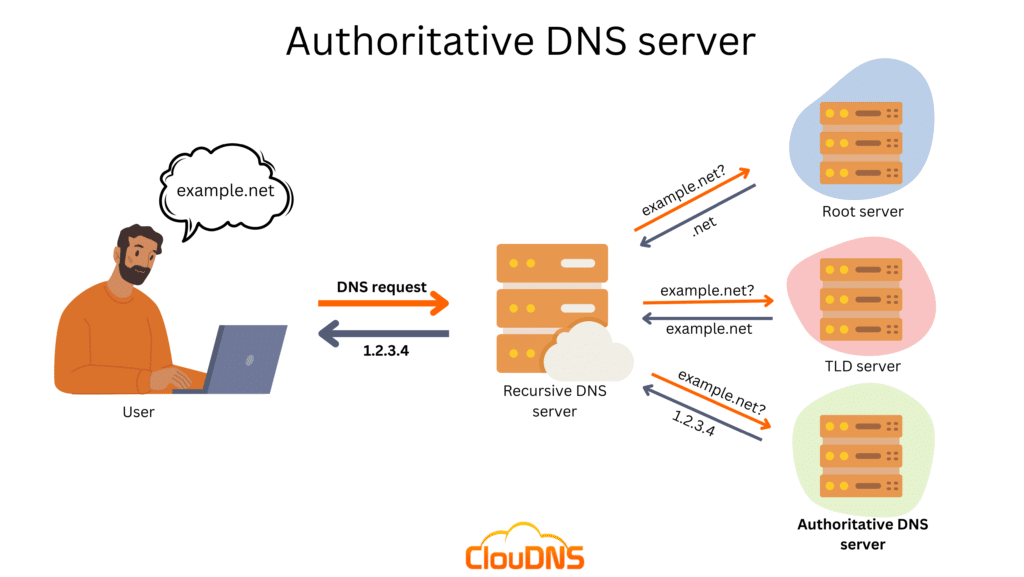
When you type example.net, your machine sends a DNS request to resolve it into an IP address. If your local DNS can't answer, it climbs up the chain — Root server, TLD server, Authoritative server — until someone can. The final IP gets handed back to you, and only then does the connection happen.
A DNS blocker intercepts that very first step Instead of letting the query for ads.doubleclick.net go out and get resolved, it just... drops it. Returns nothing, or a dead address. The browser never gets an IP to connect to, so no connection is ever made.
This approach has a few real advantages. It works across your entire machine or even your whole network not just on browser. It blocks ads in apps, not just websites. And since the request never goes out, there's no round trip, no wasted bandwidth, nothing phoning home.
Demo
For now the blocker runs on Windows, Linux support is on the way. Clone the repo, build it and run it
see the GitHub to compile the src code.
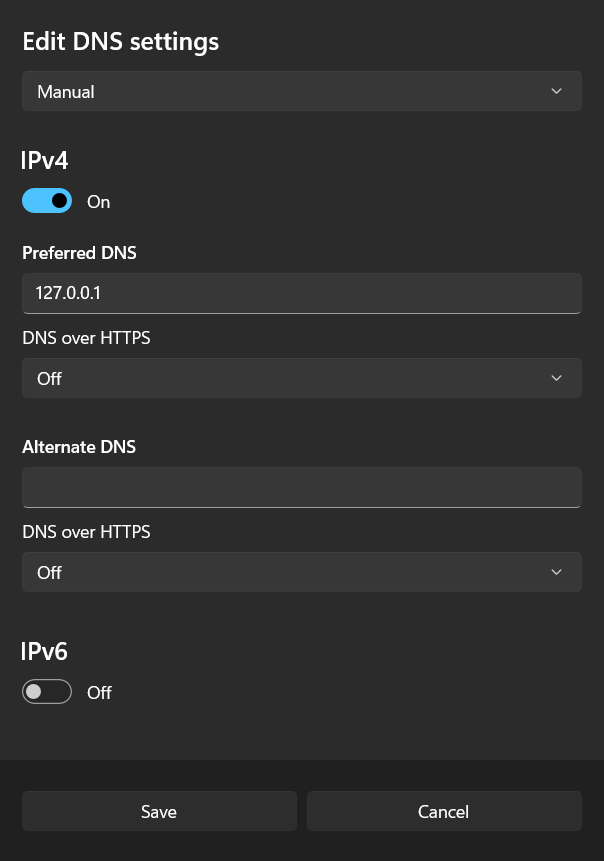
from the image above the Listener is running on 127.0.0.1:53 so let's open the DNS setting and set the DNS IP to 127.0.0.1 like so:
Open setting then go to Network tab and go to WIFI properties then edit the DNS IP
This runs locally on your machine by default. But if you want it to cover your entire network every device, every phone, every app you can set it up at the router level.
Go into your router's admin panel (usually at 192.168.1.1 or 192.168.0.1), find the DNS settings, and replace the primary DNS with the IP of the machine running the blocker. Now every device on your network routes its DNS requests through it, and they all get filtered without touching a single setting on any of them.
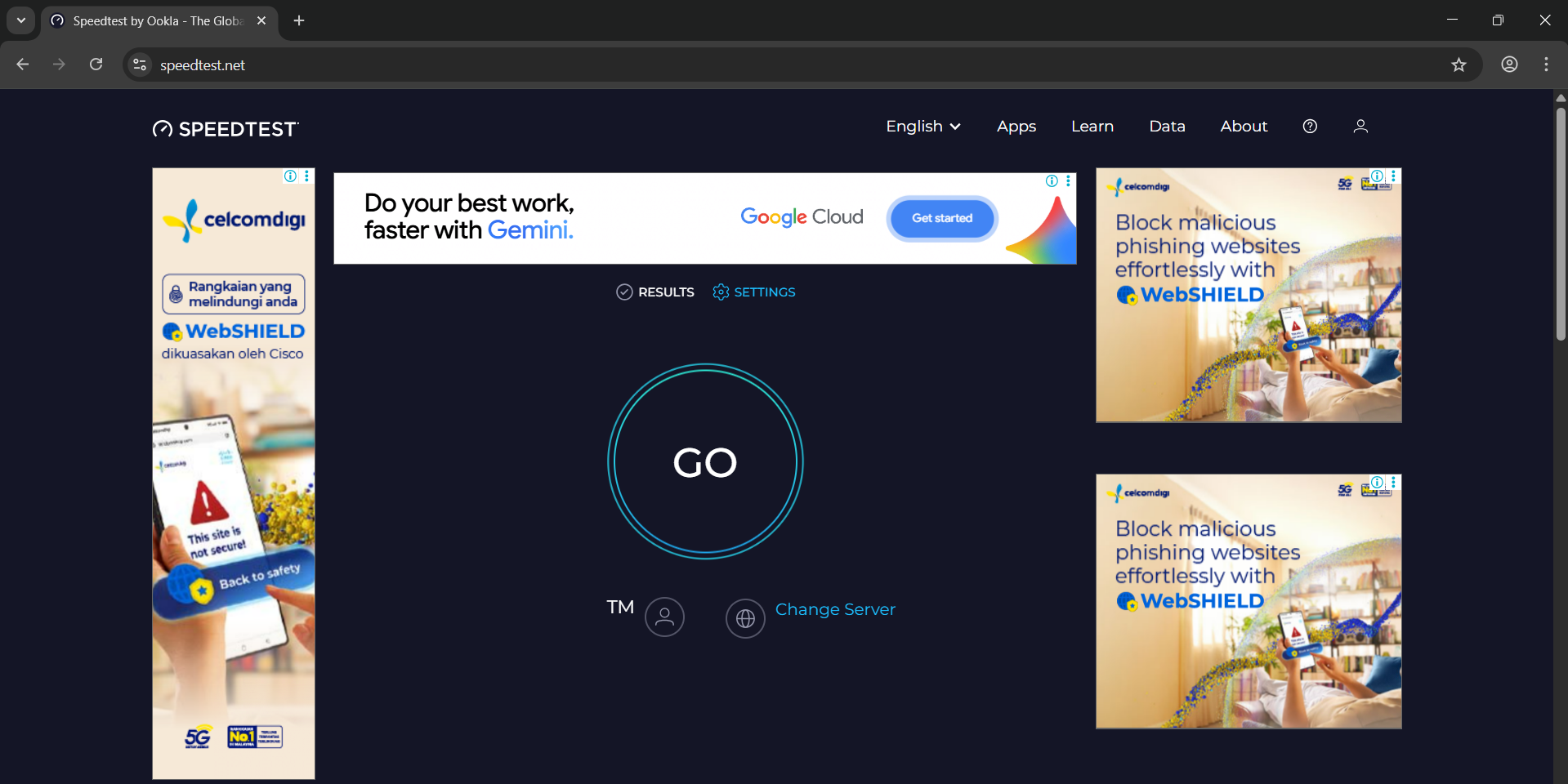
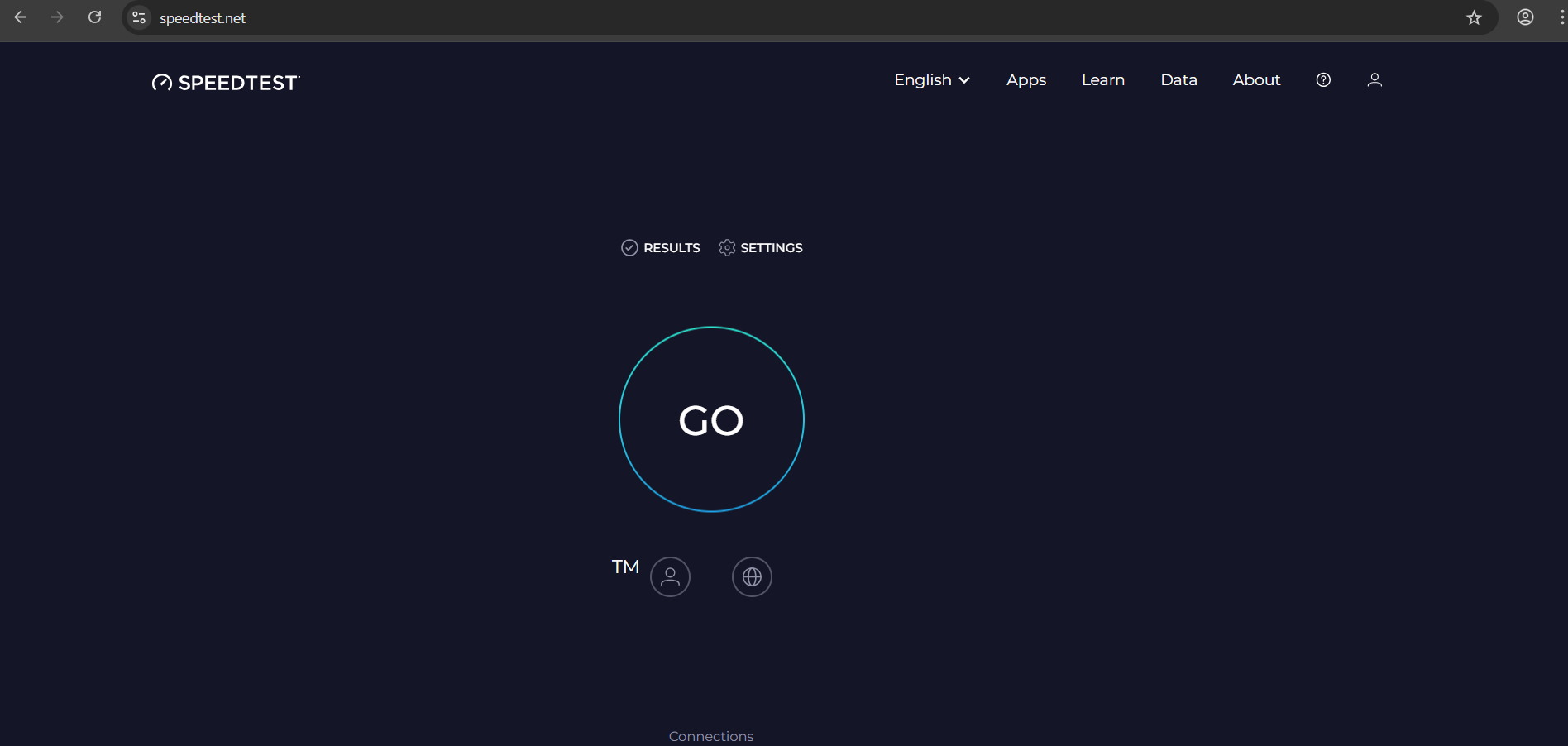
Now let's see the website without ad blocker:
let's run the ad blocker and see again:
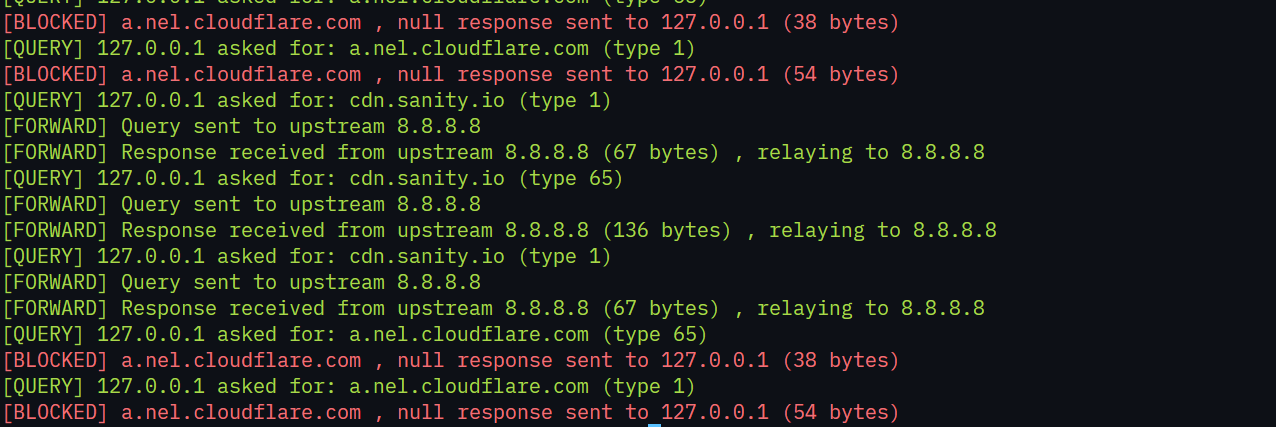
as we can see there is no ads at all, and let's see the logs:
the DNS blocked a.nel.cloudflare.com which is used for ads. because of this we are not getting any ads.
Code
To understand the code first we need to understand couple of things, we need to understand the structure of the DNS, what we with response and etc.
DNS
if you know the basics of DNS struct you can skip this section. Every DNS message, whether a query or a response, begins with a fixed 12-byte header.
ID, a unique identifier the client assigns so it can match a response back to the right query.
Flags, 16 bits that carry control bits telling you whether this is a query or a response, whether it was resolved successfully, and so on.
QDCOUNT, how many questions are in the packet.
ANCOUNT, how many answers are in the packet
.NSCOUNT, when the server doesn't have the final answer, instead of failing it'll say "I don't know, but here are the name servers that do." This counts how many of those name server records are included.
ARCOUNT, sometimes the response includes bonus records that weren't directly asked for but are useful. For example, if the server points you to ns1.example.net, it might also throw in its IP in the same packet so you don't have to go look it up separately. This counts those extra records.
Flags
QR, 0 means it's a query, 1 means it's a response.
Opcode, defines the type of query. 0 is a standard query, 1 is an inverse query, 2 is a status request.
AA (Authoritative Answer), set to 1 in a response if the server actually owns the domain being queried.
TC (Truncation) set to 1 if the message was too large and got cut off, which usually happens when the response exceeds 512 bytes over UDP.
RD (Recursion Desired), set by the client to tell the server "go figure this out for me if you don't know the answer."
RA (Recursion Available), set by the server to say "yes, I support recursion."
Z , reserved bits, must be 0. Though bit 9 is now used for DNSSEC Authentic Data and bit 10 for Checking Disabled
RCODE (Response Code), the result of the query. 0 means no error, 1 is a format error, 2 is a server failure, 3 is NXDOMAIN (domain doesn't exist), 4 is not implemented, and 5 is refused.
Question Section
The Question section contains the parameters of the query. While the header allows for multiple questions (QDCOUNT), in practice, almost all DNS queries contain exactly one question. it contains the following
QNAME, variable size, the domain name being queried.
QTYPE, 16 bits, The type of query (e.g., A=1, NS=2, MX=15, AAAA=28).
QCLASS, 16 bits, The class of query (usually IN=1 for Internet).
Domain Name Encoding (QNAME)
Domain names are not stored as simple strings. Instead, they are a sequence of labels. Each label consists of a length octet followed by that many characters. The name ends with a null byte (0x00).
To save space, DNS uses a compression scheme for domain names. If a domain name (or a suffix of it) has already appeared in the message, it can be replaced by a pointer.
it's pointer (16) bit first two bit are 11 , the remaing 14 bit's represent an unsigned integer that specifies an offset from the beginning of the DNS message. When a DNS parser encounters a byte sequence starting with 11 (binary), it interprets the following 14 bits as an offset. It then jumps to that offset in the message and continues parsing the domain name from there. This process can involve following multiple pointers if a name is compressed in stages.
Resource Record Structure
The Answer, Authority, and Additional sections all use the same Resource Record format.
NAME, the domain name this record belongs to, encoded using DNS compression to save space.
TYPE, what kind of record this is, for example A for IPv4, AAAA for IPv6, or CNAME for an alias.
CLASS, almost always IN (value 1), meaning internet.
TTL, how many seconds this record can be cached before it needs to be looked up again.
RDLENGTH, the length in bytes of the data that follows.
RDATA, the actual payload. For an A record this is the 4-byte IPv4 address, for AAAA it's the 16-byte IPv6 address, and so on.
DNS parser
For this project we only need the header and the domain name that's enough to intercept a query and decide whether to block it. But I went ahead and implemented a full DNS parser anyway, covering the complete packet structure with all the fields and full validation checks. It's more than the blocker strictly needs, but it's a solid implementation if you want to extend it later.
Inside the DNS::Parser namespace there are 5 classes, each responsible for one piece of the packet. The MessageParser class ties it all together with just two static methods, parse() to turn raw bytes into a Message, and encode() to turn a Message back into raw bytes ready to send.
All the shared enums and error types live separately in DNS:: namespace inside include/parser/common.hpp, things like QType, QClass, RCode, and OpCode that are used across all the classes.
Name, handles encoding and decoding of domain names, including DNS compression.
Loading code block...
Header, 12 bytes header we talked about above, this class parse all the flags, counters, IDs, with some getters and setters methods as well as the serialize method which covert all the flags, IDs, etc to raw bytes to send to a client.
Loading code block...
Question, holds the domain name being asked about, the record type (A, AAAA, etc.), and the class (almost always IN). One query usually has exactly one question.
Loading code block...
ResourceRecord, represents a single answer entry. It holds the name, type, TTL, and the raw rdata which for an A record would be the 4-byte IPv4 address.
Loading code block...
Message the container that holds everything together. One Message is one DNS packet, it has a header and four vectors: questions, answers, authority records, and additional records.
Loading code block...
Server
inside the /include/server/server.hpp there is the core logic for the server inside the namespace DNS::Server we have listener class and the configuration struct.
Listener class
The Listener class itself has four public methods:
init(), sets up Winsock, creates two UDP sockets, one to receive queries from clients and one to talk to the upstream resolver, then binds everything together.
run(), enters the main loop, calling handleQuery() continuously. It never returns under normal operation.
loadBlocklist(), takes a list of file paths, reads them line by line, and loads every domain into an unordered_set for fast lookups.
handleQuery(), the heart of it. It waits for an incoming UDP packet, parses it into a DNS::Parser::Message, checks the domain, and decides what to do with it.
This is where everything happens. Every incoming DNS query goes through this function, and by the end of it the domain is either blocked or forwarded. The rest of the functions are straightforward init() sets up the sockets, loadBlocklist() reads files line by line, forward() sends the query upstream and pipes the response back. The real logic is here.
1. Receive
Loading code block...
The function blocks here waiting for a UDP packet to arrive. Once one does, recvfrom fills buf with the raw bytes and client with the sender's address so we know where to send the reply back. If the packet is shorter than 13 bytes it gets dropped immediately anything less than a 12-byte header plus 1 byte of question data isn't a valid DNS message.
2. Parse
Loading code block...
The raw bytes get handed to the parser and decoded into a structured Message. If the packet is malformed it gets rejected here we never forward garbage upstream.
3. Blocklist check
Loading code block...
For each question in the message we call search() (will be explained later) on the domain name. As mentioned earlier, search() walks up the label hierarchy so blocking ads.example.com also catches sub.ads.example.com.
4. Build the blocked response
Loading code block...
If the domain is blocked we modify the same parsed message in place rather than building a new one. We flip QR to 1 to mark it as a response, set RA to mirror a real resolver, and clear the authority and additional sections since they're meaningless in a blocked response.
For the actual answer there are two cases. If the query type is HTTPS (type 65) we return ANCOUNT=0 with no answer record fabricating a valid HTTPS record is complex and browsers handle an empty response cleanly. For everything else we return a null-route answer:
Loading code block...
An A record gets 0.0.0.0 (4 zero bytes), AAAA gets :: (16 zero bytes). TTL is set to 0 so the null record doesn't get cached .
5. Encode and send
Loading code block...
The modified message gets encoded back into raw bytes and sent back to the client via sendto. There's a sanity check before sending to make sure the encoded size fits within a single UDP datagram.
6. Forward
Loading code block...
If the domain isn't blocked we skip all of the above and forward the original raw bytes straight to the upstream resolver, then pipe the response back to the client.
How the search is done?
My current implementation is very simple. At startup the entire blocklist gets loaded into an unordered_set in memory rather than reading from the file on every query. The reason is simple a DNS query needs to be resolved in milliseconds, and hitting the disk on every single request would add latency. With everything already in memory each lookup is O(1), meaning it doesn't matter if the list has 1,000 domains or 100,000, the lookup time stays the same.
Then for each incoming query it walks up the domain labels one by one until it finds a match or runs out:
Loading code block...
First we strip the schema like https:// and the path/query so we're left with just the domain like google.com. Then we lowercase the whole thing. Now the while loop starts current holds the full domain at first, and we check if blocklist_ contains it. If yes, return true (blocked). If not, find looks for the next . dot in current if no dot is found, we've reached the last segment with nothing left to check so return false. If a dot is found, we chop everything before it so current becomes the parent domain, e.g. sub.evil.google.com → evil.google.com → google.com → com, checking the blocklist at each level until we either find a match or run out of segments.
Now the question is when does this approach stop working?
The main case is when the blocklist gets very large. If you're talking hundreds of MB of domains, loading all of it into RAM upfront becomes wasteful. At that point you'd want to move to a database or an on-disk index that you query selectively rather than holding everything in memory. Another case is live updates right now adding or removing a domain requires a restart. If you need changes to take effect without downtime, or if multiple processes need to share the same list, a database or a memory-mapped file would be the cleaner solution.
For this project the unordered_set is the right call. But down the road, a lightweight database or binary search over a sorted file would be the natural next step.