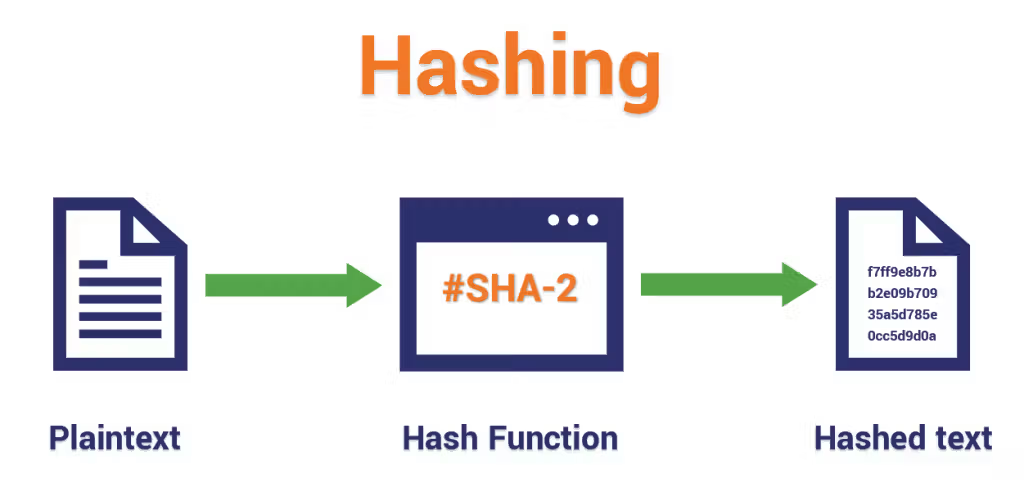
Windows API Hashing hides API names using hashes to evade detection—used by malware like REvil to obfuscate calls and bypass static analysis tools.
Windows API Hashing
Windows API Hashing is a technique used to dynamically resolve function addresses without storing their names as plain strings. Why? Because doing so allows attackers to avoid detection by antivirus or static analysis tools, since API names like LoadLibraryA do not appear as plain text in the binary. It's also used for obfuscation, hiding the actual API calls being used. When trying to evade detection, avoiding hardcoded addresses and strings is crucial. This technique also hides functions from the Import Address Table (IAT), making analysis even harder.
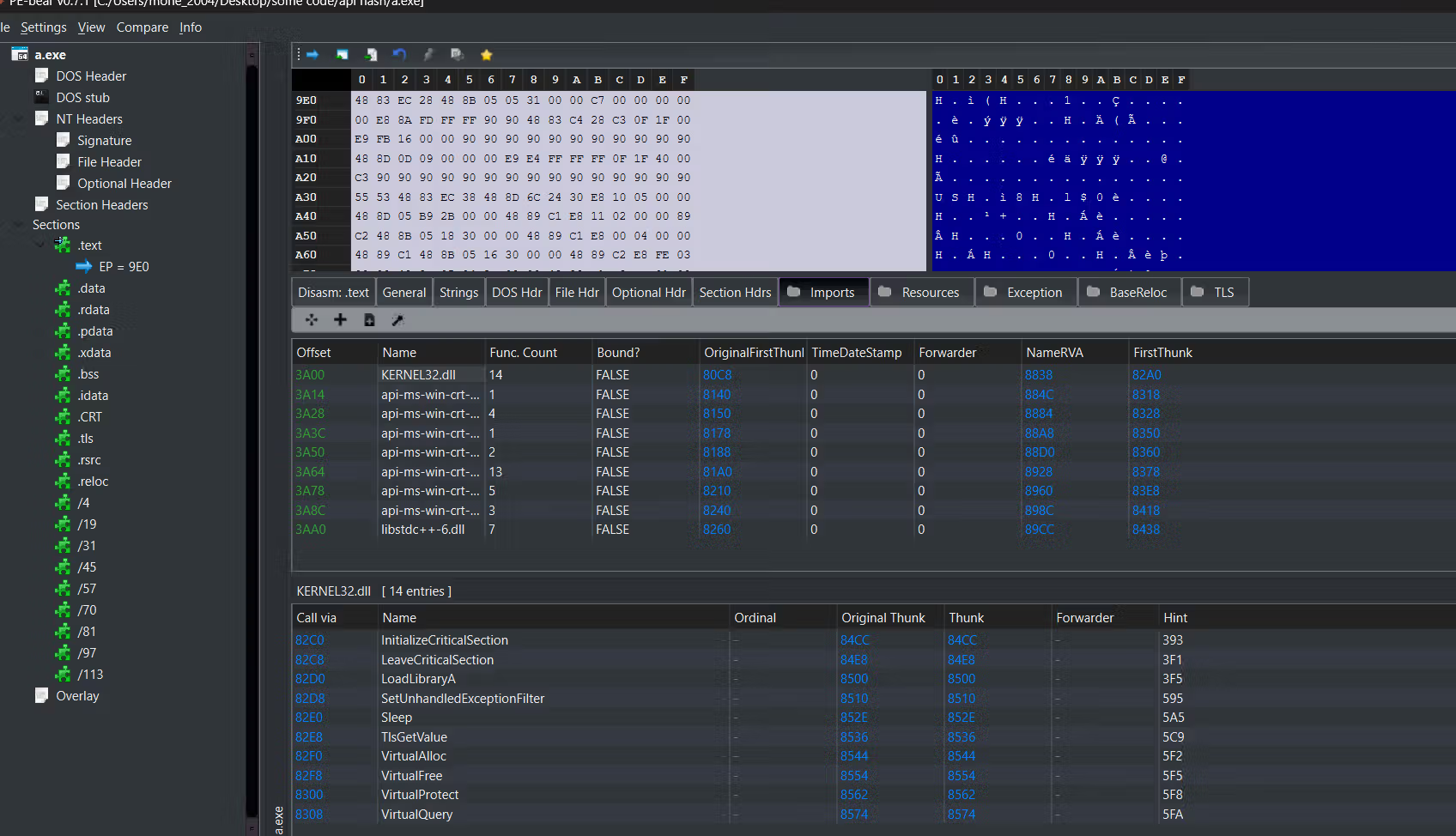
Let's see an example without using API hashing. We’ll create a simple app that just allocates memory. After compiling, we can see the functions being used — for example, VirtualAlloc and VirtualFree — and nothing is hidden. These functions are visible in the import table.
we can see all the libraries and functions that we are using
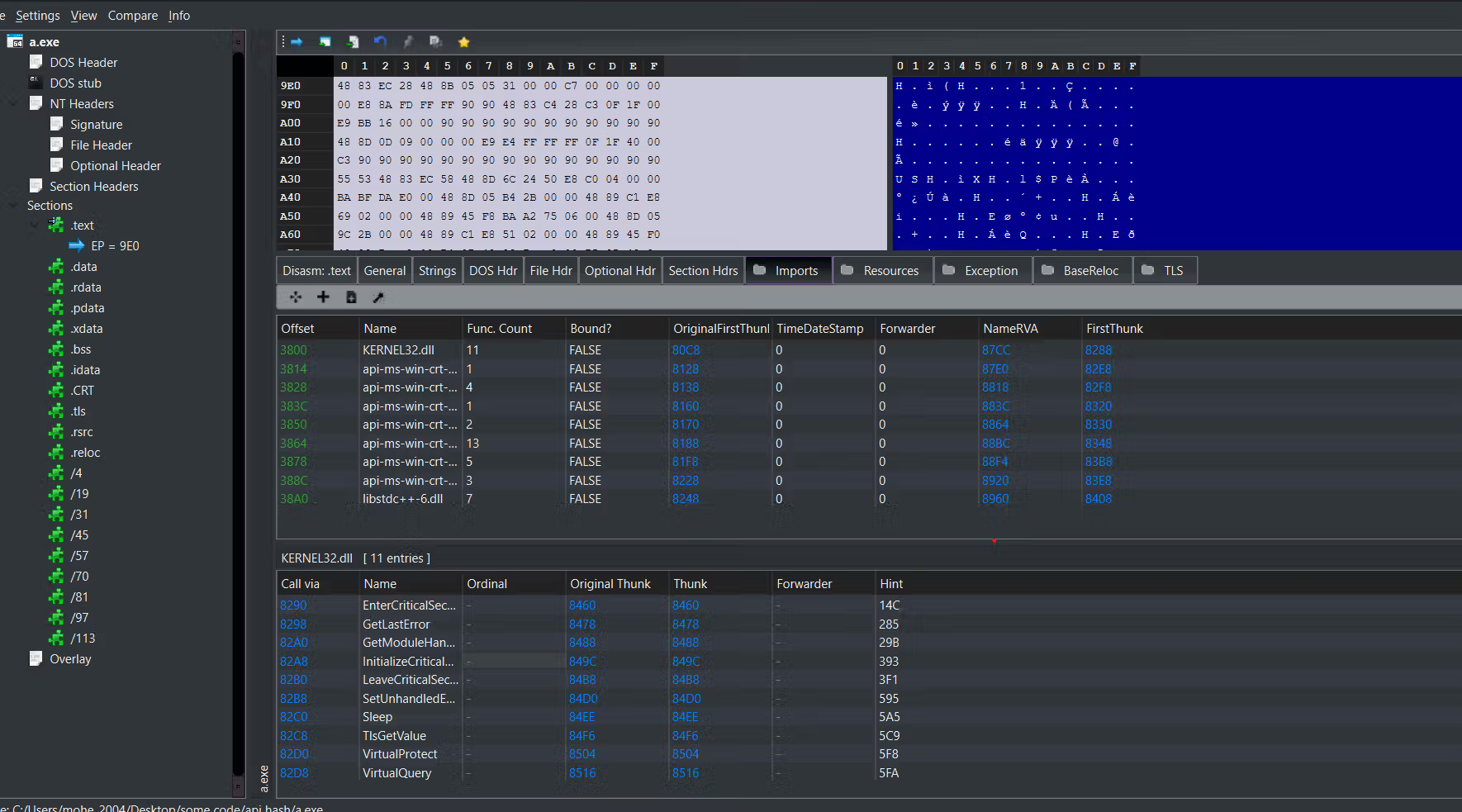
with applying the hash this is the result, we can not see the functions that we are using
Real-World Usage: REvil Ransomware
This technique isn't theoretical. It’s been used in the wild by threats like REvil (aka Sodinokibi), a notorious ransomware family.
Instead of calling APIs directly, REvil loops through all exported functions in modules like kernel32.dll, hashes each name, and compares it against a precomputed list of hash values. When it finds a match (e.g., for VirtualAlloc), it grabs the function’s address and calls it—completely bypassing the IAT and string detection.
This technique has been observed in many malware families and is one of the reasons analysis gets complicated fast.
Hashing Algorithm A custom hash function is used to convert API names like "VirtualAlloc" or "LoadLibraryA" into a unique integer. This function is simple and fast to allow runtime use.
Precomputed Hash The hash of the target API name is computed ahead of time and hardcoded in the binary. The original function name is not stored, which avoids detection via string scanning.
Accessing PEB The code directly accesses the Process Environment Block (PEB), which contains information about all loaded modules for the current process, including base addresses.
Traversing Modules It loops through each module (DLL) listed in the PEB, such as kernel32.dll, ntdll.dll, or user32.dll.
Parsing Export Table For each module, it locates the Export Table (found via the module’s PE header). This table lists function names and their relative addresses.
Hash Matching Each exported function name is hashed using the same algorithm, and the result is compared to the precomputed target hash.
Resolve Address If a match is found, the corresponding function's address is resolved and stored for future use. The program then calls the function directly through the resolved pointer.
Code
get the full code here: https://github.com/mohe22/API-hashing
Loading code block...
start with including the header and windows header file.
Loading code block...
The typedef defines a function pointer type for LoadLibraryA. we will see why.
CalculateHash takes a function name string and turns it into a 24-bit hash using multiplication and addition.The hash helps identify functions without using their real names, commonly used to evade detection or obfuscate APIs.
Loading code block...
This function manually locates LoadLibraryA by reading kernel32.dll's export table and hashing each function name to find a match for 6943297 (the hash of "LoadLibraryA"). If found, it returns the address as a function pointer; otherwise, it returns nullptr.
We do this because later, LoadLibraryA is needed inside ResolveFunctionByHash, but calling it directly inside that function would require resolving it first — leading to a recursive call if not handled. By resolving LoadLibraryA separately in its own function (ResolveLoadLibraryA), we break the recursion and ensure it’s available beforehand.
Loading code block...
The ResolveFunctionByHash function locates a target API by comparing the hash of each exported function name in a given DLL. It first tries to get the module's base address using GetModuleHandleA. If the module isn't loaded, it falls back to LoadLibraryA (which was resolved earlier and stored in pLoadLibraryA) to load it manually. This ensures the module is in memory before parsing its export table. The function then hashes each export name and compares it to the target hash. If a match is found, it returns the function's address. Resolving LoadLibraryA separately prevents recursion and avoids using direct API imports.
How to use it in your code?
Simply include HashResolver.h in your file to get access to the CalculateHash and ResolveFunctionByHash functions.
To calculate the hash of an API, use the CalculateHash("FunctionName") call. For example, CalculateHash("LoadLibraryA") returns the hash for that function name.
Next, get the function signature. Just Google the API name (e.g., "VirtualAlloc site:learn.microsoft.com") and open the first Microsoft Docs link. Copy the function prototype and convert it into a function pointer type like this:
Loading code block...
Finally, resolve the function using:
Loading code block...
This way, you can dynamically call Windows APIs using their hashed names without importing them statically.
Conclusion
Windows API hashing is a stealthy technique used to evade detection and complicate analysis. It’s commonly seen in advanced malware where hiding API calls is key to avoiding static scans and reverse engineering.